
How it works
One private record, working for you
Your data comes in from the apps and devices you already use. Your Biolink Server keeps it, encrypted, and turns it into trends, reports and briefs. Your phone and browser read from it.
01 · Your data comes in
Bring in what you already track
The mobile app brings in Apple Health on iPhone and Google Health on Android. Oura, WHOOP and other wearables connect directly, so you can keep using their apps.
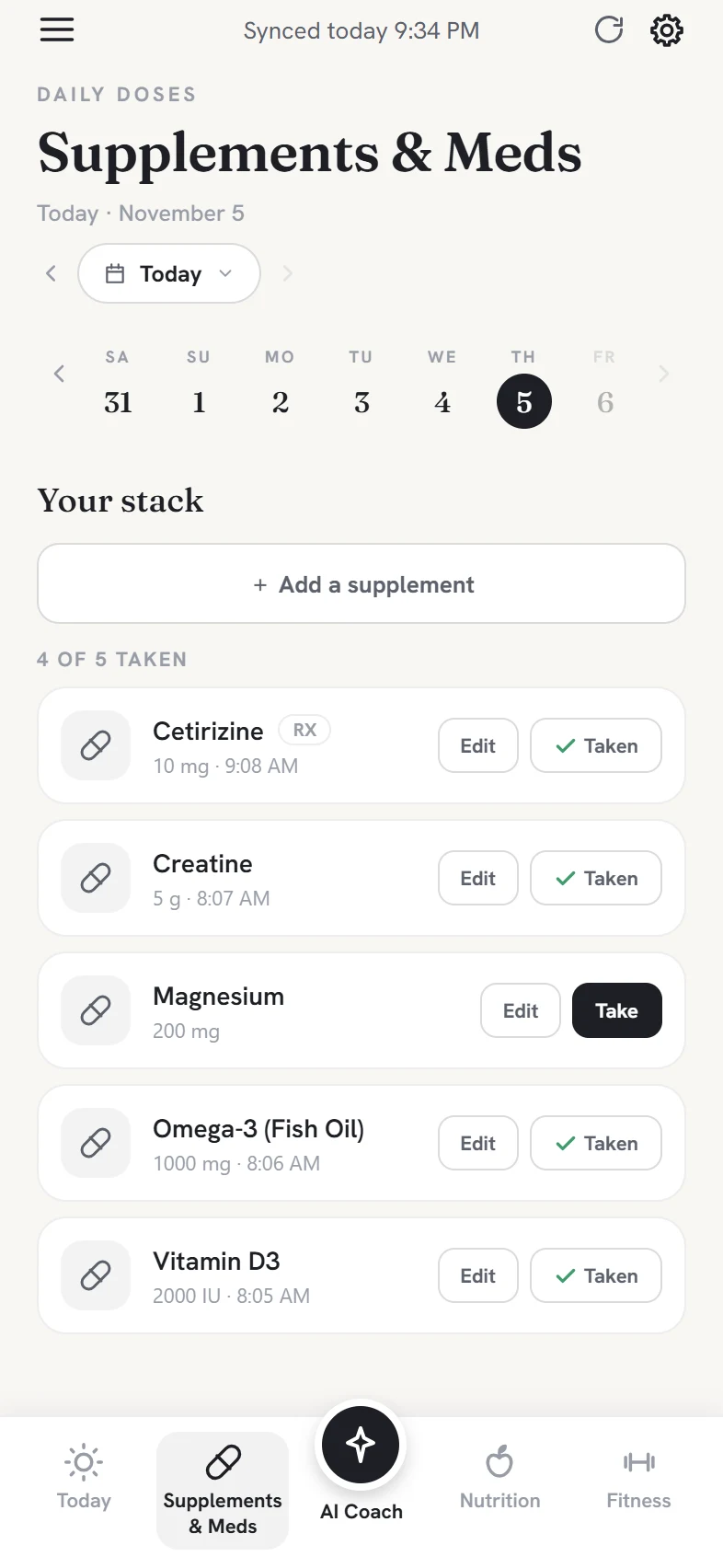
Log meals, water, supplements, medications and symptoms as you go. Upload a lab report as a PDF and AI reads each value; nothing is saved until you confirm it.
02 · Your server does the work
Your server keeps it and makes sense of it
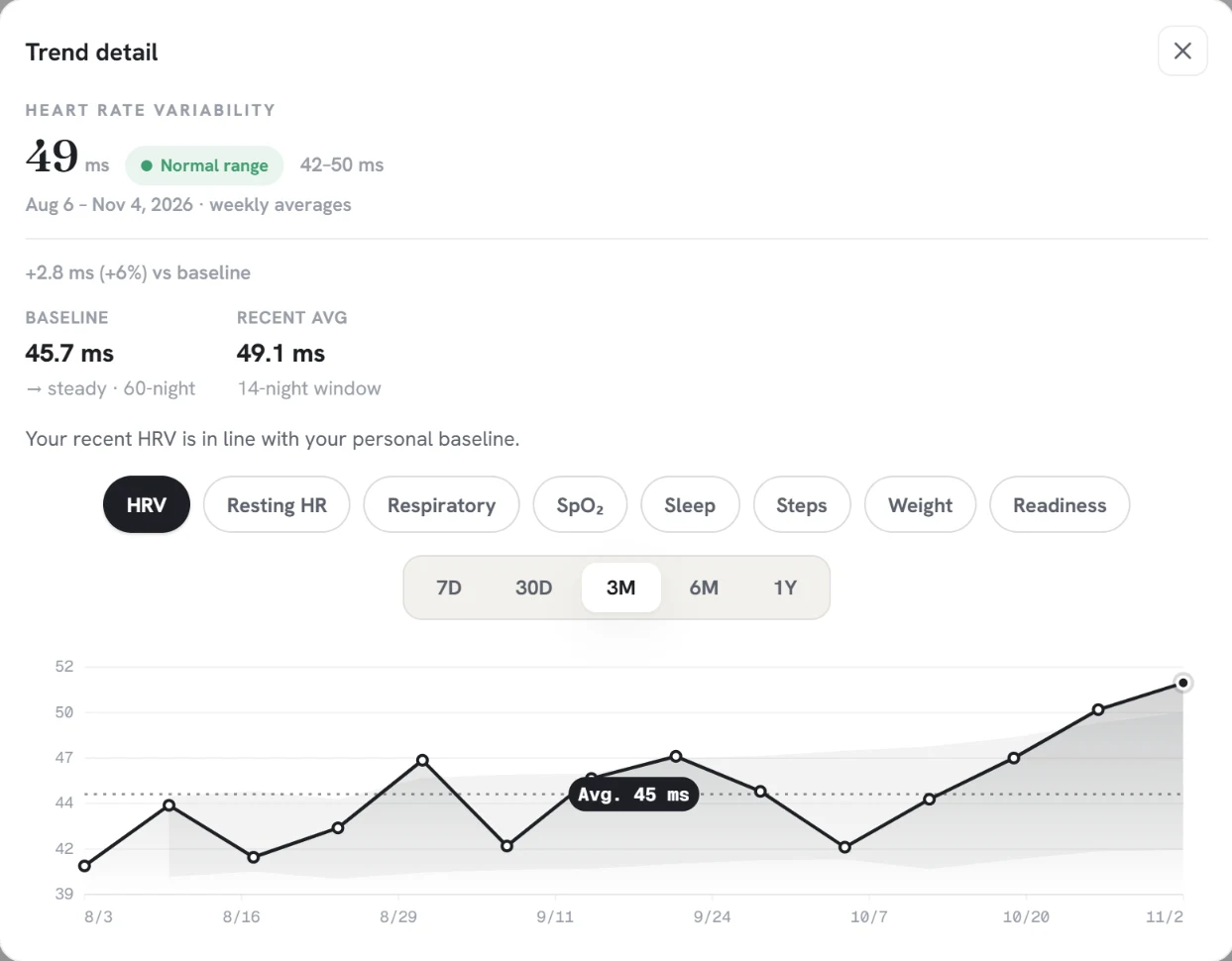
Everything is stored on your Biolink Server, encrypted. It learns your usual range for sleep, resting heart rate and HRV, shows when a reading moves outside it, and builds daily, weekly and monthly reports overnight.
Trends and the numbers on your dashboard are calculated by Biolink itself, not by an AI model, so they stay consistent from one day to the next.
03 · You see what changed
See what changed, and take it to your appointment
Check today at a glance on your phone, follow long-range trends on the web, and ask AI Coach about your own records.
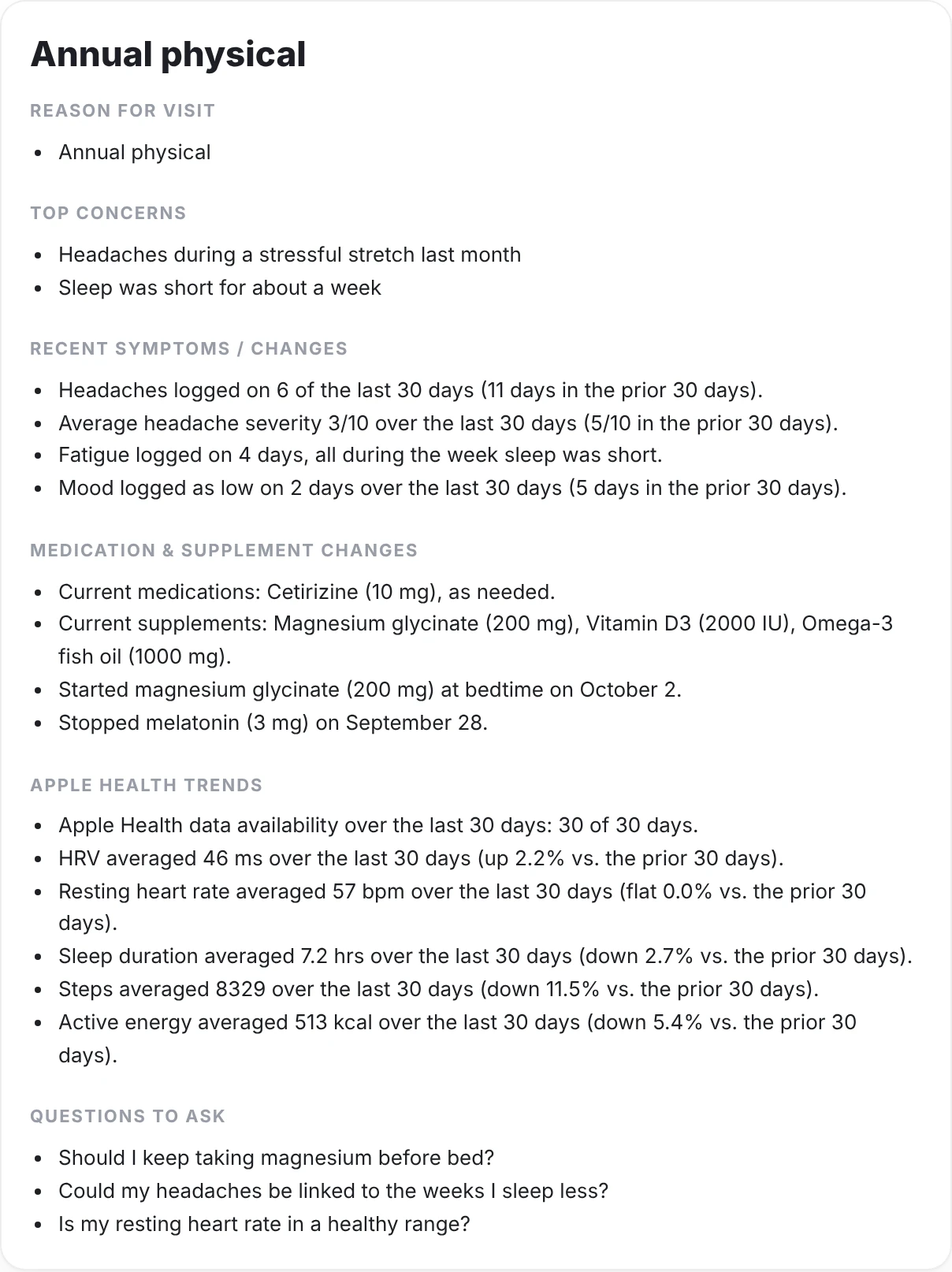
Before a visit, Biolink builds a Doctor Visit Brief with your recent symptoms, medications and supplements, and 30-day trends. Save it as a PDF to print or share; you decide who sees it.
AI
Use AI on your terms
Most of Biolink works without any AI model. When you want conversational answers and written summaries, you choose where the AI runs.
- No AI needed
- Trends, reports and Doctor Visit Briefs are built with fixed rules and templates.
- Local AI
- Point Biolink at a model on your own network, such as Ollama or vLLM. Nothing leaves your network.
- Your own key
- Use your own key for a cloud provider such as OpenAI or Anthropic. Each feature is turned on separately, and nothing is sent until you approve it.
- Optional MCP connector
- Let an assistant such as Claude or ChatGPT read the parts of your record you choose. It’s read-only, off until you connect, and you can disconnect at any time.
Get Started Today
Set up your Biolink Server in three steps, then pair the mobile app.